
Safeguarding and E-Safety
At Bitham Brook School, the safety and wellbeing of our children is our highest priority. Safeguarding and promoting the welfare of children is everyone’s responsibility, and every member of our school community has a role to play.
We take a child-centred approach to safeguarding, always considering what is in the best interests of the child. We also follow an ‘it could happen here’ approach, recognising that safeguarding concerns can arise in any school or community.
We are committed to:
- Providing a safe, caring and supportive environment where every child can learn and thrive.
- Listening to children and taking their concerns seriously.
- Acting promptly when we have concerns about a child’s welfare.
- Identifying children who may need additional support or Early Help, as well as those who may be at risk of harm.
- Sharing information appropriately and working with families and other agencies where this is necessary to keep children safe.
- Ensuring that children who report abuse, sexual violence, sexual harassment or other concerns are listened to, supported and never made to feel that they are causing a problem or should feel ashamed.
- Teaching children how to keep themselves and others safe, including how to stay safe online.
- Adapting our safeguarding and support to meet the individual needs and vulnerabilities of children, including children with SEND and children who may have experienced abuse or other harm.
All safeguarding action taken by Bitham Brook School is in accordance with current legislation and statutory guidance. Our staff receive regular safeguarding training and understand their responsibilities for recognising, responding to and reporting concerns.
Further information about our safeguarding arrangements, policies and procedures can be found on the 'Policies' section of the website.
If you have a safeguarding concern about a child, please email safeguarding@bithambrook.wilts.sch.uk. This confidential mailbox is monitored by the Headteachers and DSL.
Please see below for photographs of our safeguarding team:
Amy DSL/ Deputy Headteacher
Sue Wells- DDSL/ Family Link Worker
Carrie- DDSL/ Co-Headteacher
Nicola Sampson- DDSL/ Year 6 phase leader
Clare- DDSL/ SENDCO/ DT for CLA


In the unlikely event of a member of the safeguarding team not being available, please contact Gareth Simons (Head Teacher).
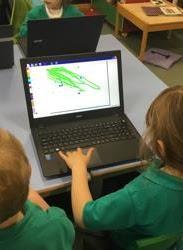
E-Safety
We take the safety of our pupils when using the internet very seriously and ensure that the principles laid down in our E Safety Policy are understood and adhered to by everyone in school.
The below link provides support from the NSPCC for parents regarding online safety, particularly around age appropriateness of certain apps and games:
Stranger Things
Many young people are talking about the popular Netflix series Stranger Things. For awareness, Stranger Things is rated TV‑14, meaning it is not generally suitable for children under 14 without parental guidance. This rating is due to frightening scenes, violence, and mature themes. Although the show features young characters, the storyline becomes darker and more intense as the seasons progress. Later seasons include stronger horror elements, more graphic violence, and emotionally heavy content.
Safer Internet Day 2026- Tuesday 10th February
Safer Internet Day 2026 – Exploring the safe and responsible use of AI
This term, our school joined others nationwide to celebrate Safer Internet Day 2026, the largest global online safety campaign. This year's theme, ‘Smart tech, safe choices – Exploring the safe and responsible use of AI,’ focuses on teaching children and young people the skills to use AI technology safely and responsibly, and highlights available support.
From voice assistants, to chatbots, to algorithms, AI technology is playing an increasingly large role in all our lives. It is important that we find time to discuss these tools and the impact they can have on our own and our families’ online experiences, including:
· the news and content we see,
· the way we work, including using AI for homework or studies,
· and the risk of misuse of AI, for example to create realistic scams or non-consensual nude images.
We encourage you to join us in celebrating by continuing the conversation about AI technology at home. Here are some helpful resources: · You can complete the UK Safer Internet Centre’s interactive quizzes with your child. · Read the UK Safer Internet Centre’s tops tips for parents and carers here. · You can share the UK Safer Internet Centre’s top tips for children and young people with your child.
You may also like to use one of these prompts to start a conversation with your child:
· What’s your favourite thing to do online?
· Have you ever used an AI tool? How did it make you feel?
· What do you like about AI technology?
· Do you have any worries about AI technology?
· What advice would you give to your friends about using AI?
· Who would you talk to if you saw something worrying online?
· What more can I do to help you feel safe online?
A key part of protecting children and young people from online harms is through preventative education. By talking about this in school and at home, we can all work towards keeping children safe when they are online. Celebrating Safer Internet Day is a great opportunity for you to re-emphasise the online safety messages we deliver throughout the year.
If you have any concerns or questions about keeping your child safe online, please do get in touch with your child’s class teacher or phase leader. If you have a safeguarding concern about a child, please email DSL@bithambrook.wilts.sch.uk.
Helpful resources on this topic can be accessed via the following link: https://saferinternet.org.uk/safer-internet-day/safer-internet-day-2026/education-resources
Useful Links